Web Portal
Desktop oversight. Full control.
Review evidence, manage your team, configure permissions, and generate audit reports. All from your browser, no on-site visit required.
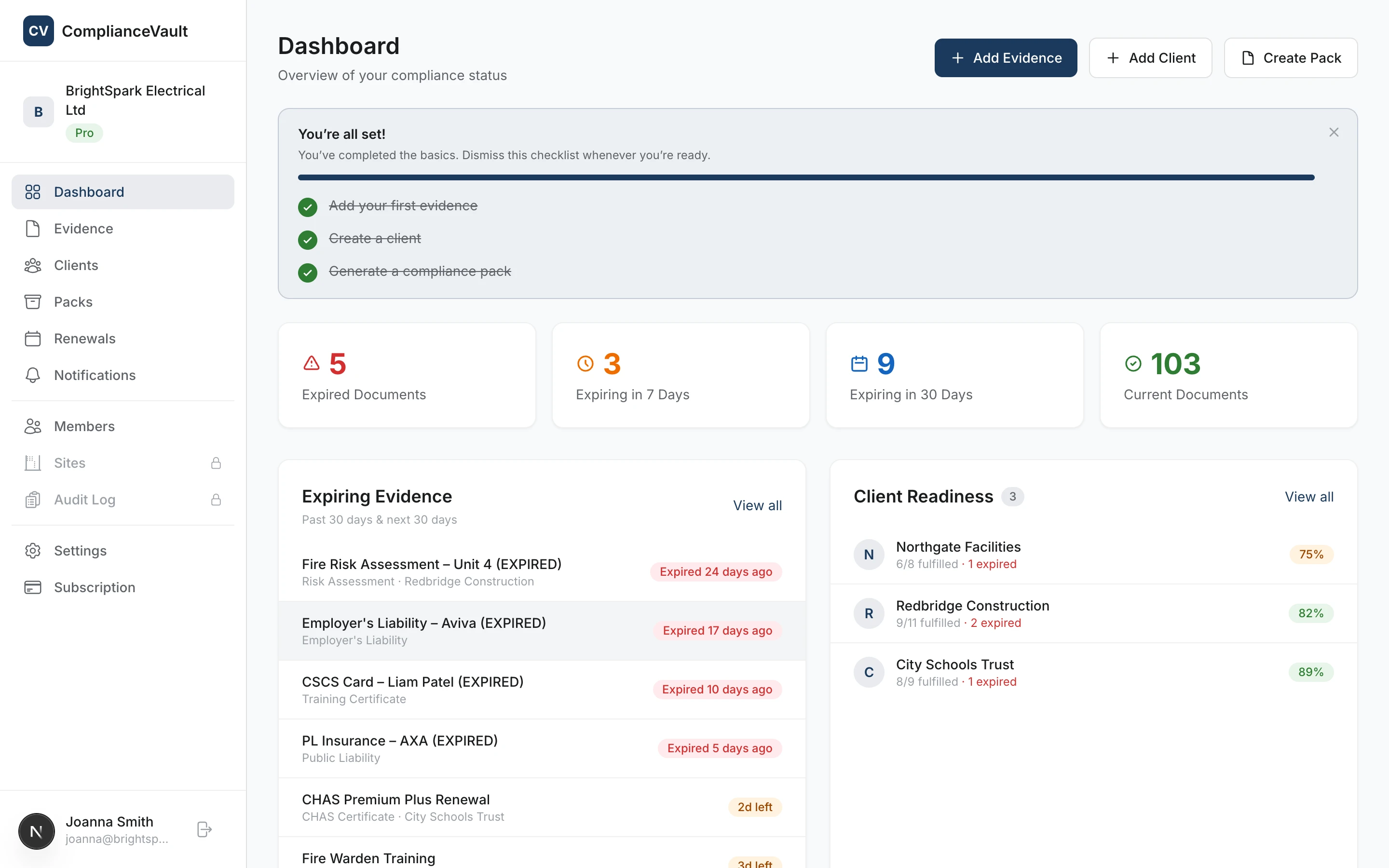
Desktop capabilities
Everything you need to run compliance from your desk
The web portal handles admin, oversight, and reporting from one screen.
Full compliance dashboard
KPIs, expiring evidence, and recent activity across your entire organisation at a glance. Filter by client, site, or evidence type.
Team & permission management
Invite members, assign roles, and configure 11 granular permissions per role. Control exactly who can do what.
CSV import & data export
Onboard existing records in minutes via CSV. Export evidence, clients, and audit history as CSV or ZIP at any time.
Approval workflows
Evidence enters a pending state on upload. Admins review, approve, or reject with notes before it goes live.
Audit trail & reports
Every action is logged. Filter by user, type, or date. Export the full log as a tamper-proof PDF audit report.
Multi-site switching
Scope your dashboard, evidence, and team views to a specific site. Switch between locations in the sidebar.
For full feature details, see the complete feature list.
Desktop scenarios
How people actually use it
Compliance Manager
Every Monday you open the dashboard, check which certificates are expiring this month, review any pending evidence from your team, and send the weekly compliance summary to your director.
Office Admin
A new subcontractor is starting next week. You import their existing records via CSV, set up a compliance pack template for their main contractor, and invite them to the org.
Director
An external auditor requests proof of compliance for a specific site. You generate a PDF audit report, create a compliance pack, and share both via a secure link, all before the meeting starts.
What’s included
Everything covered by the web portal
One subscription, one workspace. Every workflow your office team needs to run compliance, in your browser.
- Review all evidence at a desk
- Manage team members and roles
- Import evidence via CSV
- Export data as CSV or ZIP
- Generate audit reports (PDF)
- Client compliance dashboard
- Generate and share packs
- Approve or reject evidence
Ready to manage compliance from your desk?
Start free today. No card needed to get started.