Features
Everything you need to manage compliance evidence
Built from the ground up for UK construction. Not Dropbox with “Compliance” bolted on the folder.
Running compliance from the office? See the web portal tour.
Core
Evidence vault
Upload and organise every certificate, insurance document, training record, and policy in one secure location. Tag by type, assign to clients or sites, and find anything instantly with search and filters.
- 17 evidence types, from employers’ liability to DBS checks
- Automatic file versioning with full history
- Drag-and-drop upload from your browser
- In-app preview for PDFs, images, and documents
- Batch upload for onboarding large document sets
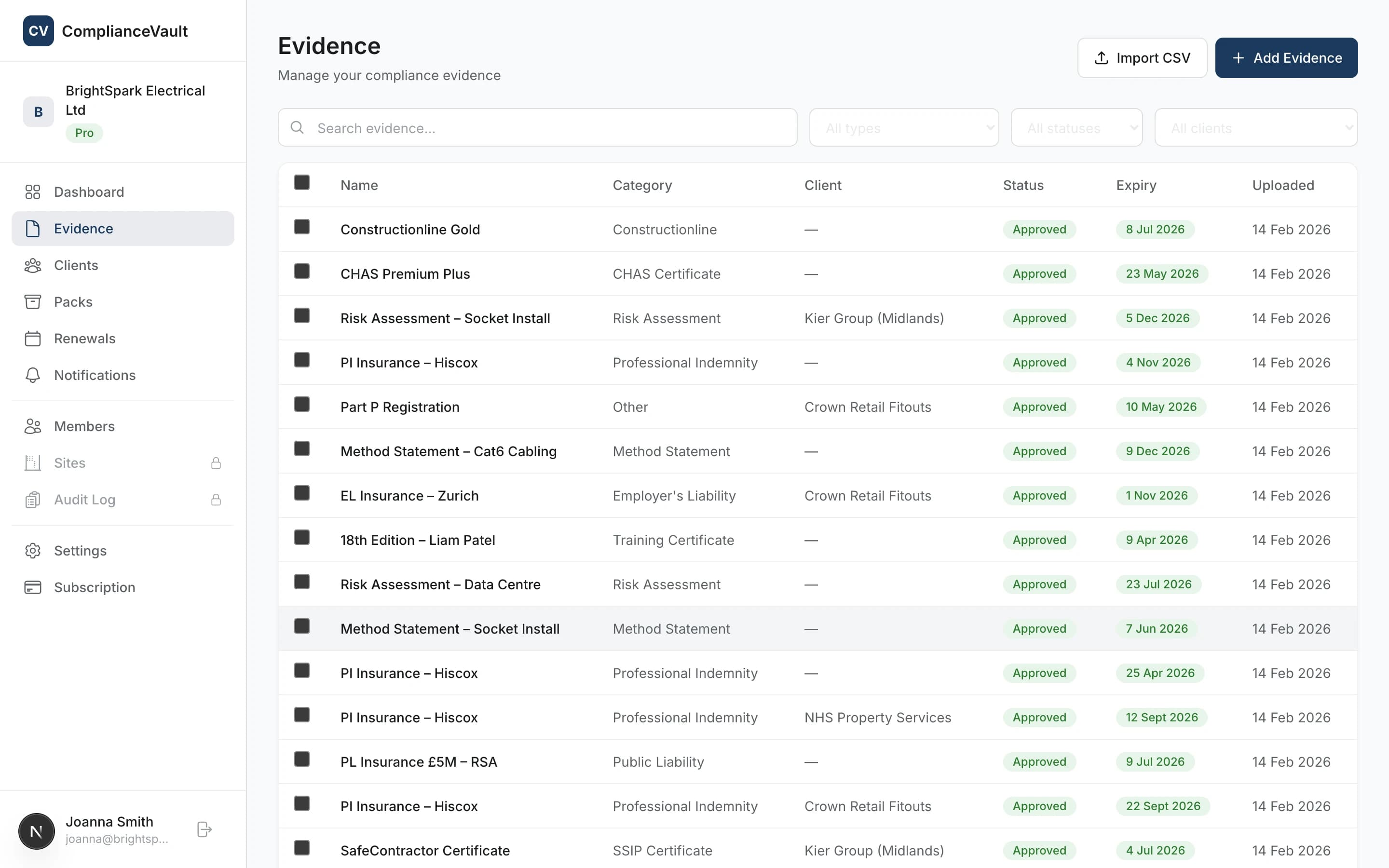
All 17 evidence types
Employer’s Liability · Public Liability · Professional Indemnity · Contractor’s All Risks · CSCS Cards · DBS Checks · CHAS · SSIP · Constructionline · SafeContractor · SMAS Worksafe · Acclaim · Achilles · ISO Certifications · Training Records · H&S Policies · Risk Assessments & Method Statements
Automation
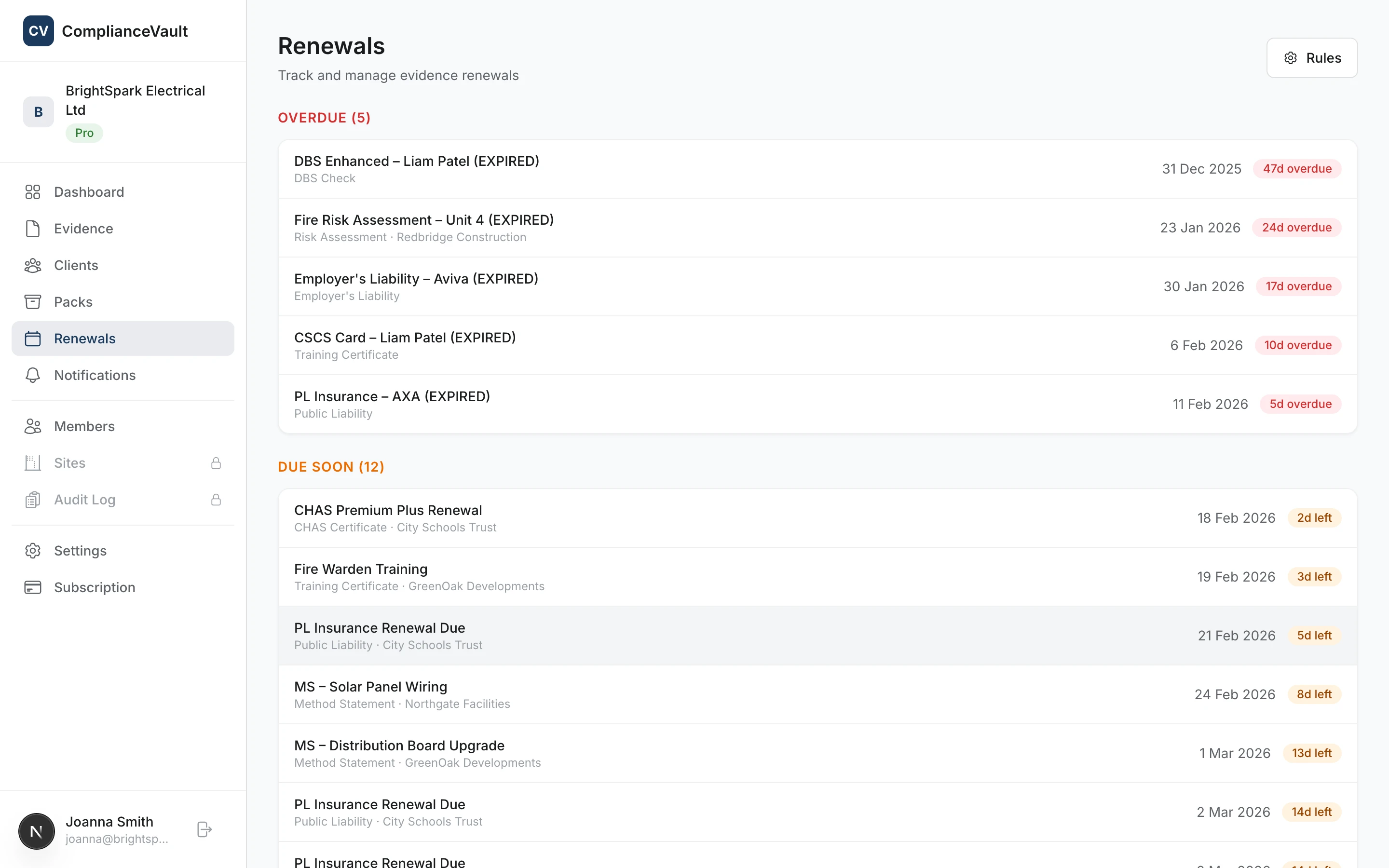
Renewal tracking
Set reminder rules per evidence type and get notified before certificates expire. No more finding out your insurance lapsed when a client asks for it.
- Configurable reminders: 30, 60, or 90 days before expiry
- Push notifications and in-app alerts
- Dashboard overview of upcoming and overdue renewals
- Rules apply across your entire organisation automatically
Workflow
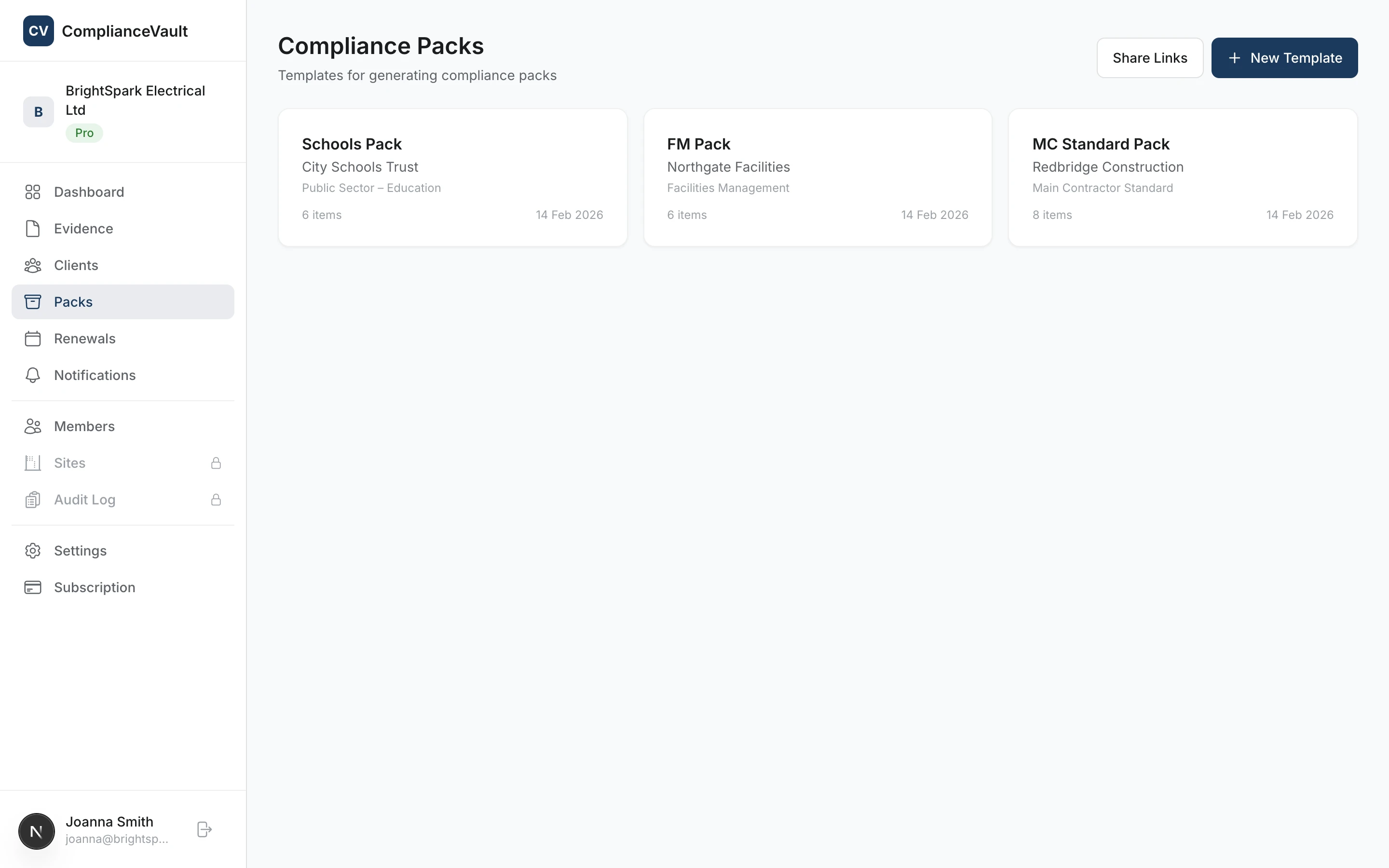
Compliance packs
Build reusable templates for each client specifying which evidence types they require. When they ask for your paperwork, generate a complete compliance pack in seconds.
- Template builder with per-client requirements
- One-click pack generation as downloadable ZIP
- Compliance scores showing what’s met and what’s missing
- Clone templates between clients to save time
Sharing
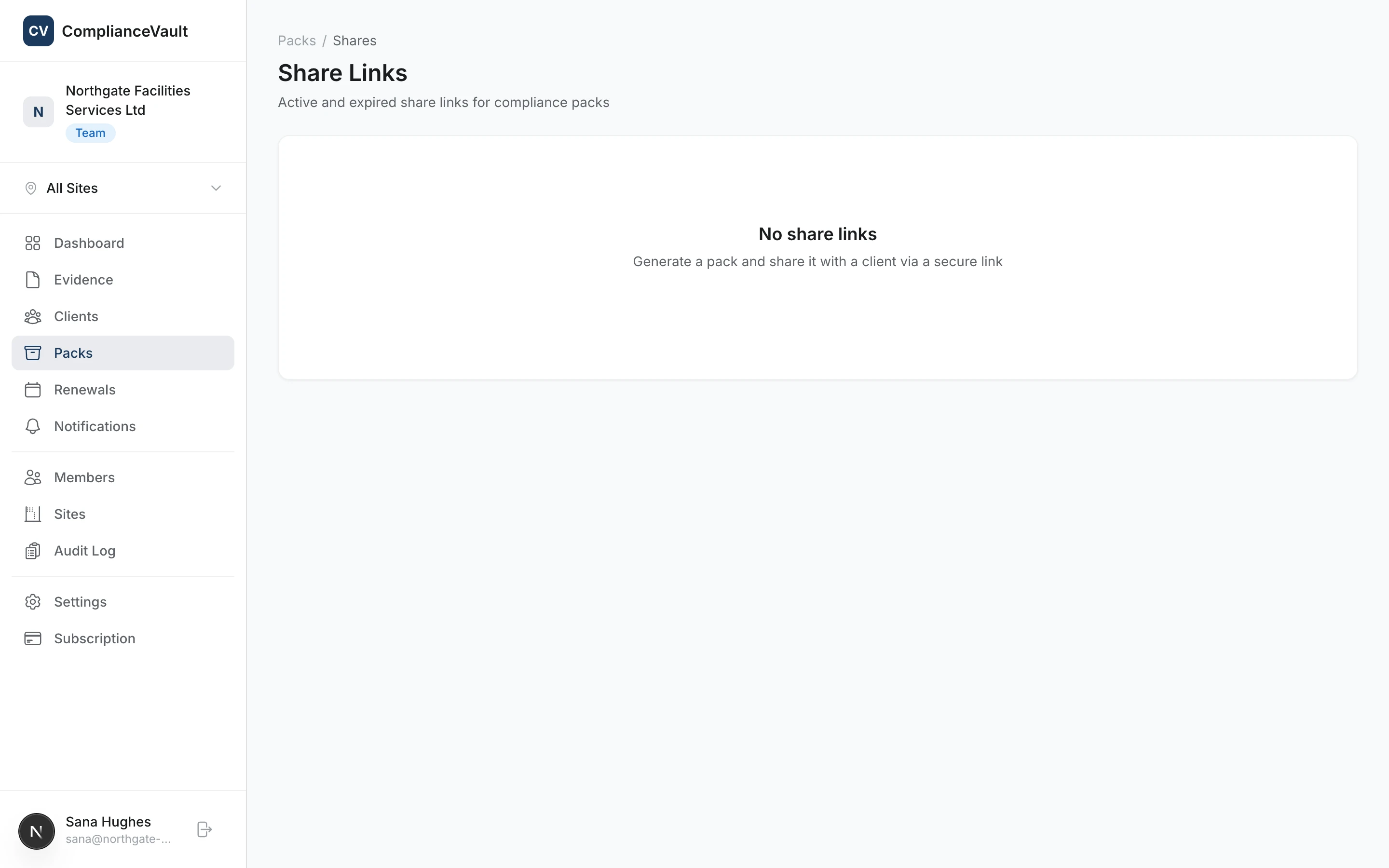
Secure sharing
Share compliance packs with clients and auditors via time-limited secure links. Recipients don’t need an account. Just click the link to view or download the pack.
- Time-limited links with automatic expiry
- No account required for recipients
- Track when packs are accessed
- Revoke access at any time
Team
TeamMulti-site management
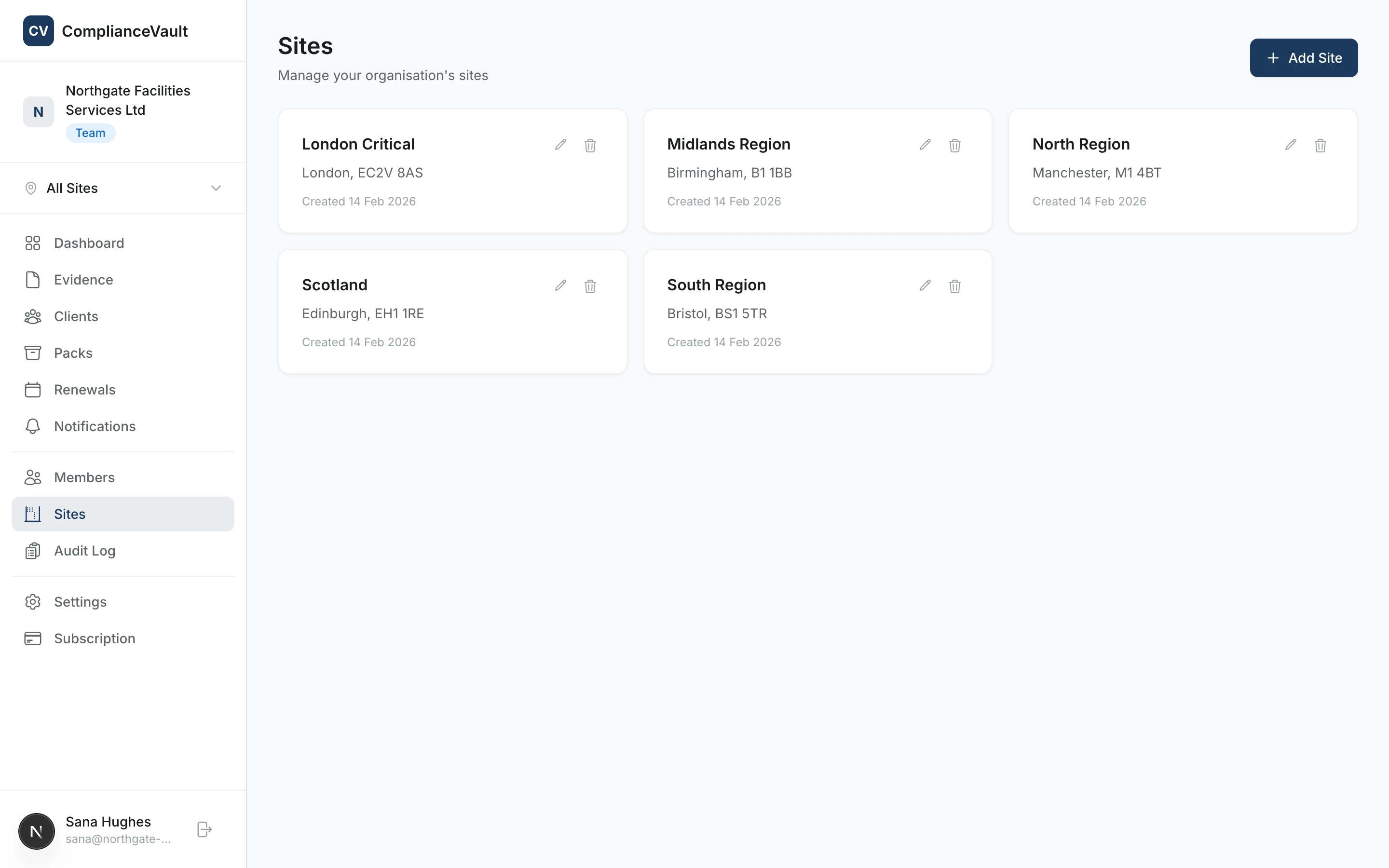
Assign evidence and team members to specific sites. Filter your dashboard by site to see only what’s relevant. Built for organisations managing compliance across multiple locations.
- Unlimited sites on the Team plan
- Site-scoped evidence and team views
- Assign members to specific sites
- Site selector in the navigation for quick switching
Governance
Team / ConsultantApproval workflows
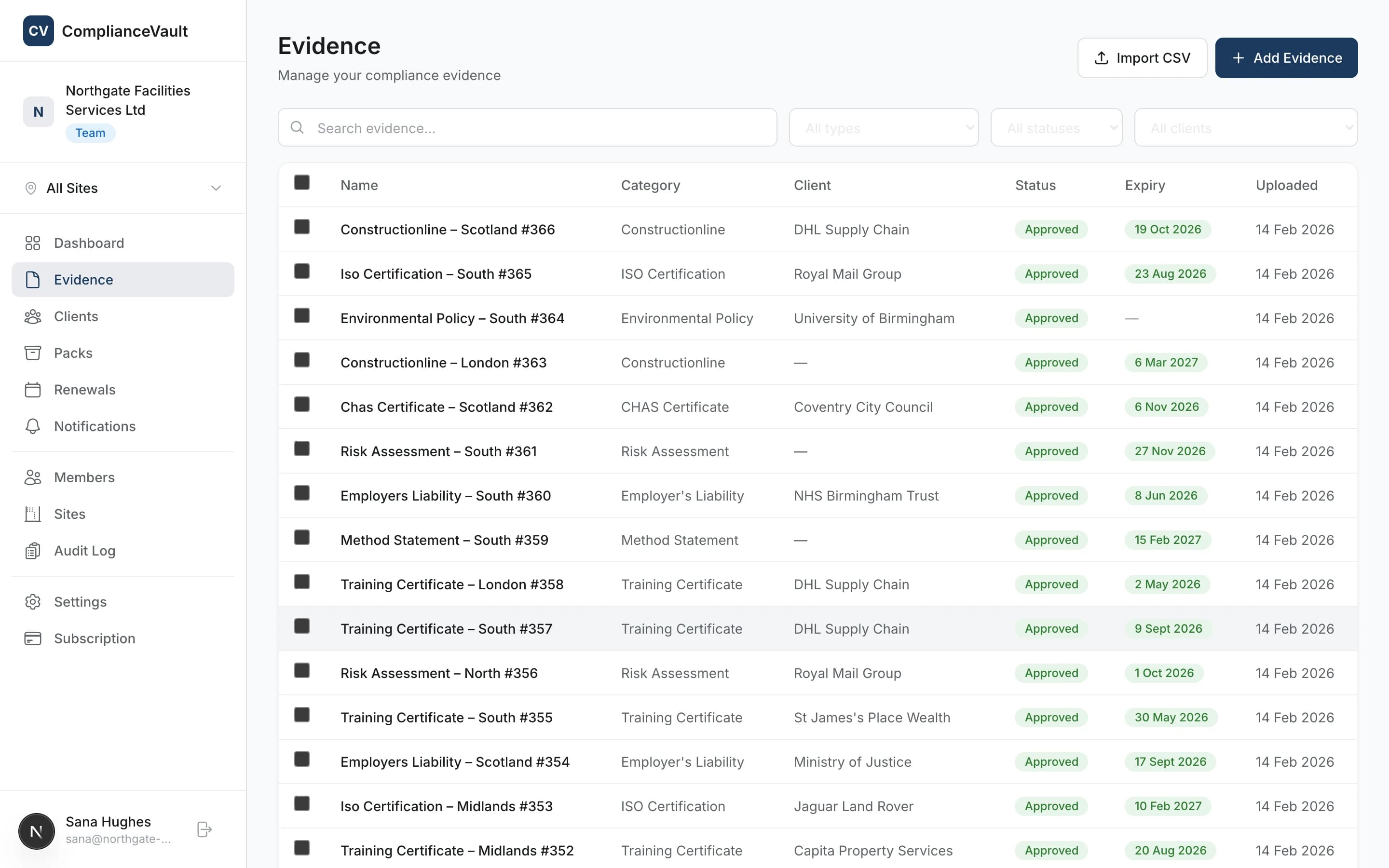
Evidence submissions are reviewed before going live. Owners and admins can approve or reject uploads with notes, keeping your compliance records clean and verified.
- Evidence enters “pending” status on upload
- Approve or reject with optional notes
- Self-approval prevention for accountability
- Full approval history in the audit trail
Why switch
ComplianceVault vs Spreadsheets
Most construction businesses start with a shared spreadsheet or a folder on someone’s desktop. It works until it doesn’t. Here’s how ComplianceVault compares.
| Spreadsheets | ComplianceVault | |
|---|---|---|
| Expiry reminders | Manual diary entries | Automatic email + push alerts |
| Client compliance packs | Manually assemble files each time | One-click ZIP generation |
| Sharing with clients | Email attachments, WeTransfer | Secure, time-limited links |
| File versioning | "Certificate_v3_FINAL_v2.pdf" | Automatic version history |
| Audit trail | None | Every action logged and exportable |
| Multi-site visibility | Separate sheets or tabs per site | Site-scoped views, one login |
| Finding a specific certificate | Ctrl+F and hope for the best | Search, filter, done |
The story that kept coming up in our discovery interviews: half a day every month spent chasing expiry dates in a spreadsheet. That’s the half day the dashboard gives back.
Purpose-built vs generic
ComplianceVault vs Cloud Storage
Dropbox, Google Drive, and SharePoint are great for general file storage. But compliance evidence needs more than a folder structure.
| Cloud Storage | ComplianceVault | |
|---|---|---|
| Expiry date tracking | Not supported. Files have no expiry concept. | Built-in expiry dates with automated alerts |
| Evidence categorisation | Manual folder naming conventions | 17 structured evidence types with metadata |
| Client compliance packs | Manually collect and zip files per request | One-click pack generation from templates |
| Compliance scoring | No visibility into what’s missing or expired | Per-client compliance scores and gap analysis |
| Sharing with auditors | Shared folders with ongoing access | Time-limited secure links, auto-expire |
| Renewal reminders | None. Set your own calendar reminders. | Configurable rules: 30, 60, or 90 days |
| Audit trail | Basic file activity log | Full action log: uploads, approvals, shares |
| Built for construction | General purpose. You build the structure. | CHAS, SSIP, ISO frameworks out of the box |
Cloud storage is for files. ComplianceVault is for compliance. Storing the cert isn’t the same as being able to find, prove, and share it when an auditor asks.
Frequently asked questions
See it in action
Start for free and explore every feature. No commitment, cancel any time.